Speak instead of typing
You do not have to type. Every empty money box shows a 🎤 button inside it — My money, the prices, I spend and I need. You can say the money out loud.
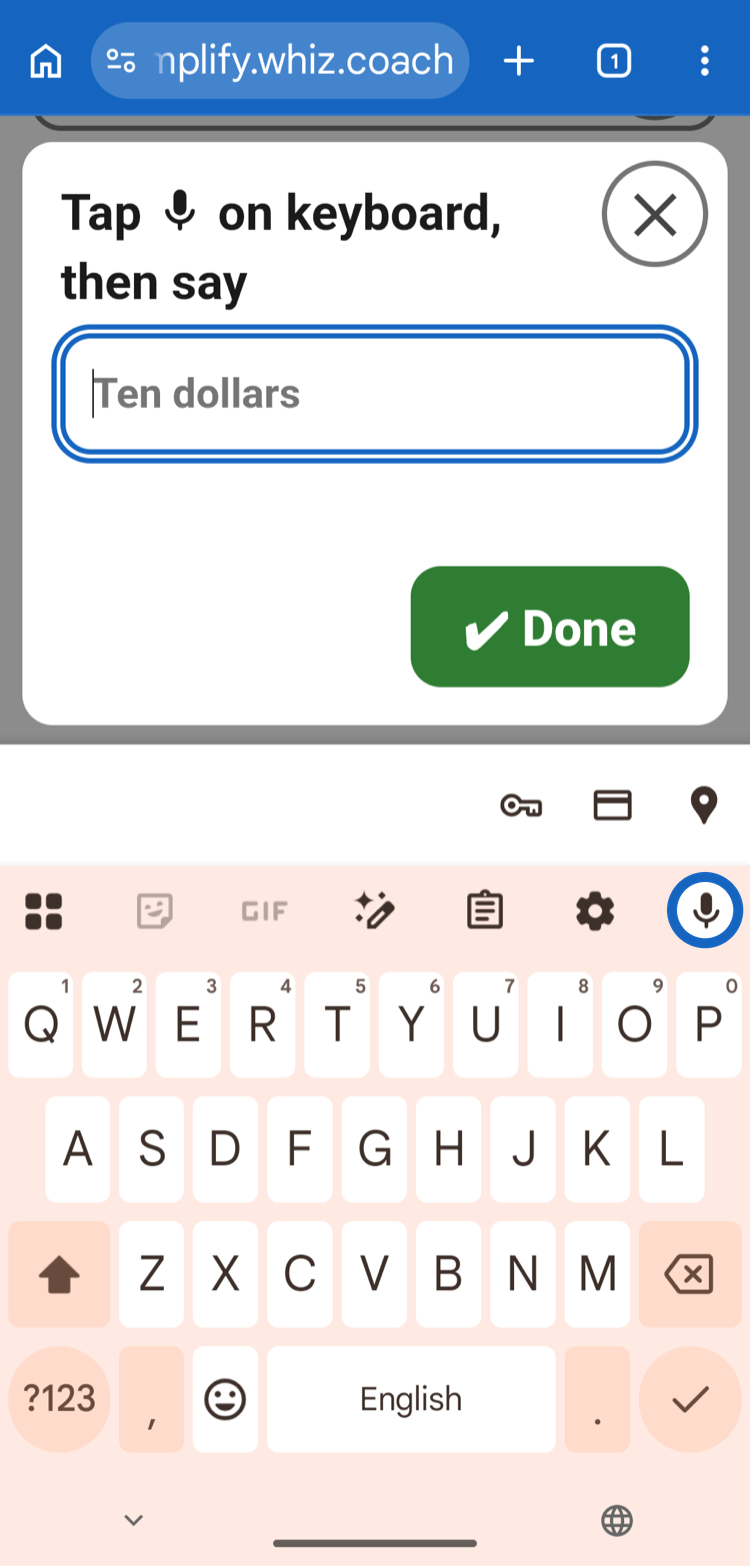
- Tap the 🎤 inside an empty money box. A small Tap microphone on keyboard, then say window opens, and the keyboard appears.
- Tap the microphone 🎤 button on the keyboard.
- Say the amount. For example: “ten dollars fifty”.
- The window shows the money it heard. Tap ✔ Done and the number goes into the box.
Once a number is in the box, the 🎤 turns into a ✕. Want to say a new amount? Tap the ✕ to empty the box and the 🎤 comes back.
💡 It is okay to say it your own way —
“ten fifty”, “10 dollars and 50 cents” and “$10.50” all work.
In Make a shopping list, the name boxes use your normal keyboard. Tap the keyboard's microphone and say the name — no 🎤 window needed.
Cannot see a microphone on your keyboard? Here is how to find it.